Slate runs the engagement from brief to delivery: guided testing, four-eyes review, and reports and attestation letters that stay exactly as issued.
Your client reads them in a client portal that is free for every client user, with 13 testing guides behind every engagement. Built by PenTest Hub, a penetration testing company, for its own engagements, and licensed on its own from €55 per user a month. With Flint, nothing is typed twice.
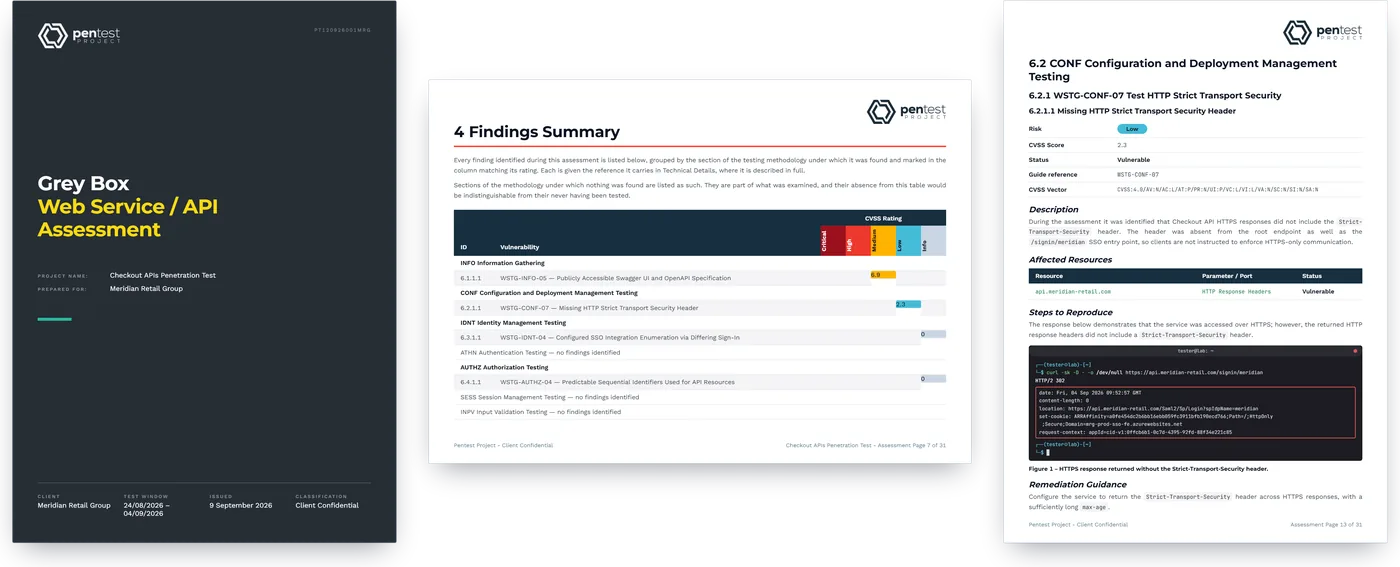
Audit evidence, not just a PDF.An attestation letter generated on delivery, a frozen and versioned report, and a record of who received it, for your clients' SOC 2, ISO 27001, NIS2, HIPAA or PCI DSS auditor.
Specialist engagements built in.PCI DSS segmentation with nmap evidence, the full boundary matrix and its own letter. Microsoft 365 against CIS and CISA SCuBA. Cloud against CIS and MITRE ATT&CK.
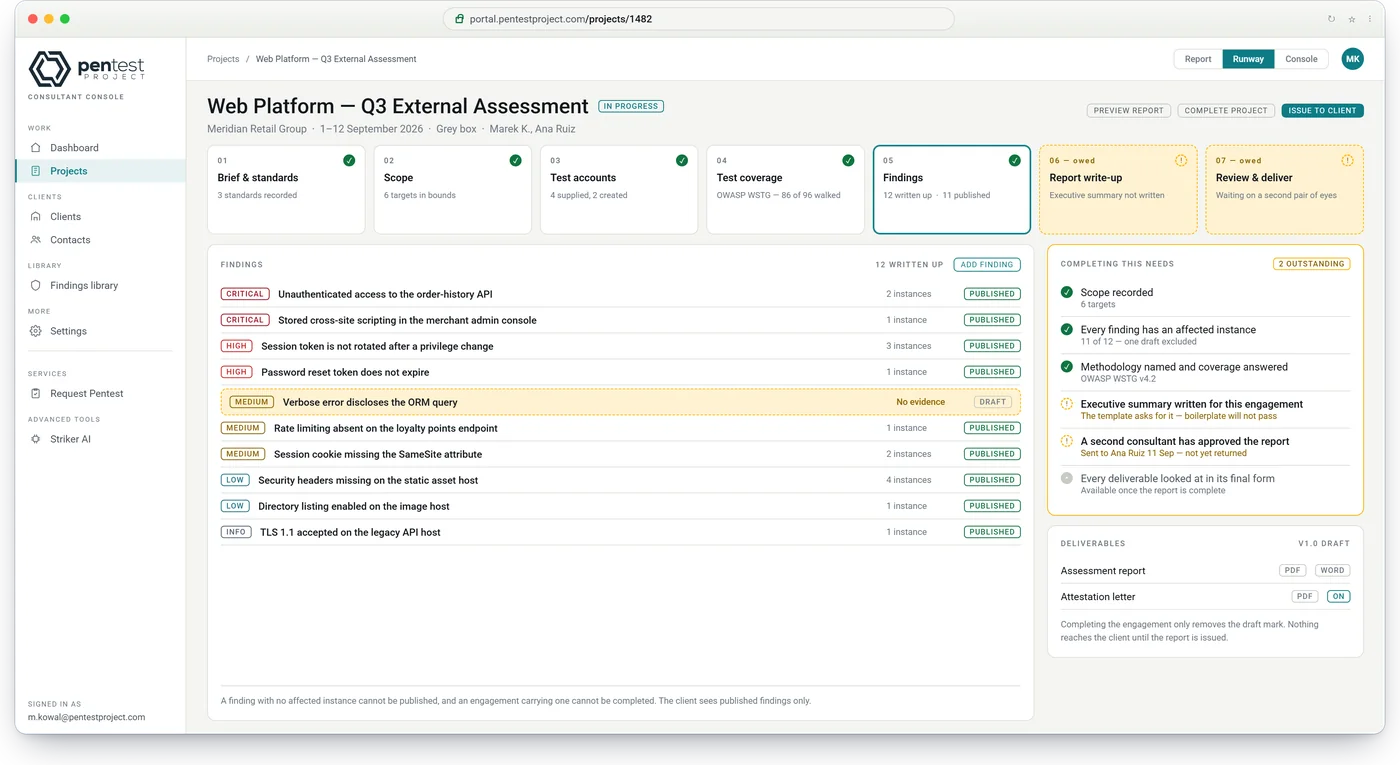
Nothing goes out unread.Four-eyes review enforced by the system: no self-review, and the draft is frozen during review.
Not saved for the top plan.Single sign-on, two-step sign-in, every testing guide and unlimited client users are in every edition.
How Slate works
Slate keeps the record, set in stone.
Your testers work through a guided engagement and your reviewer issues the report, which then stays exactly as delivered. Your client reads it, answers it and downloads it in their own client portal.
Step 1 · your project manager
Open the engagement in one form
Client, dates, testing approach, the standards it is reported against, the report design and whether an attestation letter is due. With Flint connected, pick the agreed engagement and its details are filled in before you save: client, scope and segments, dates, testers, test accounts (never their passwords) and the rules of engagement. Change what you need; the project is created in one step.
20 engagement types, each with its recommended standards
Owners assigned, client contacts named for distribution
The report goes to a named reviewer who sees exactly what changed since handover. Nothing is issued until it is approved and the author has inspected every final file. Drafts carry a watermark until then.
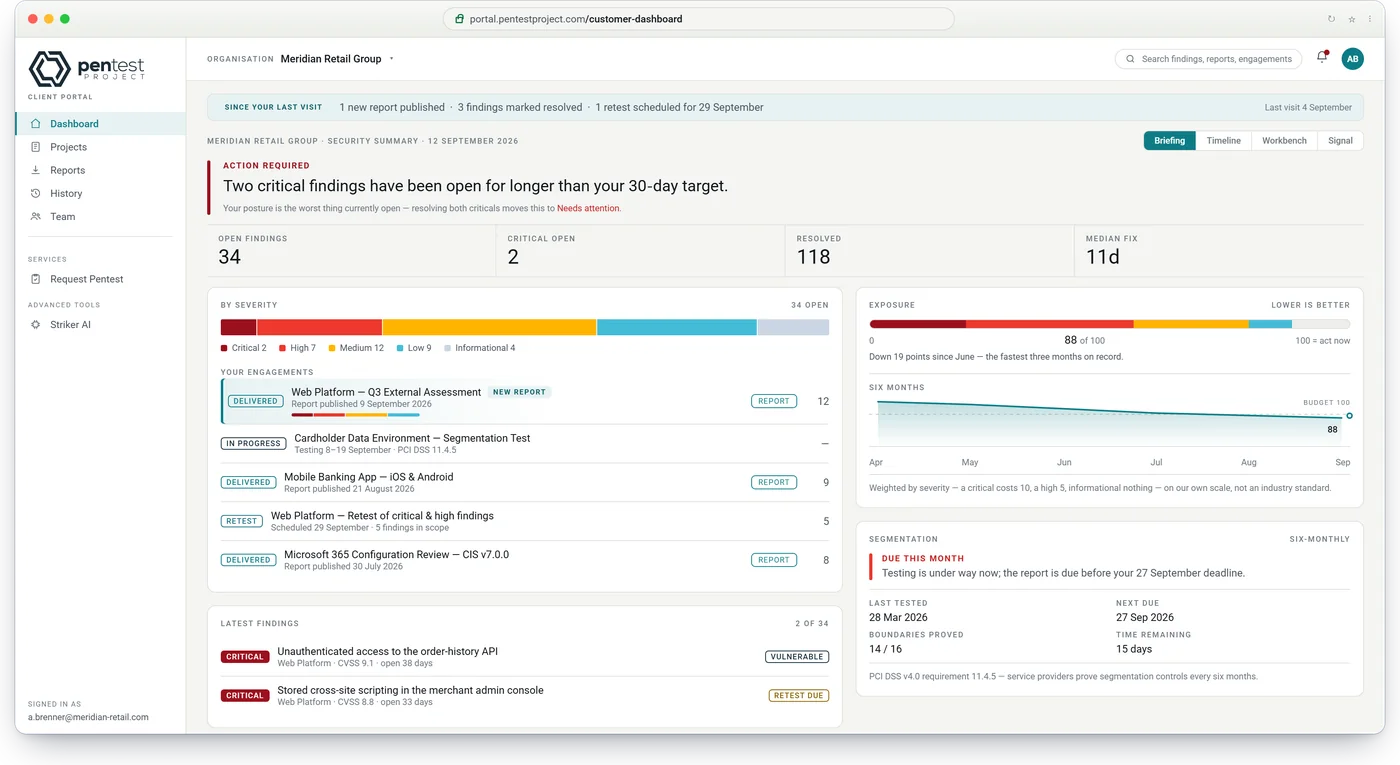
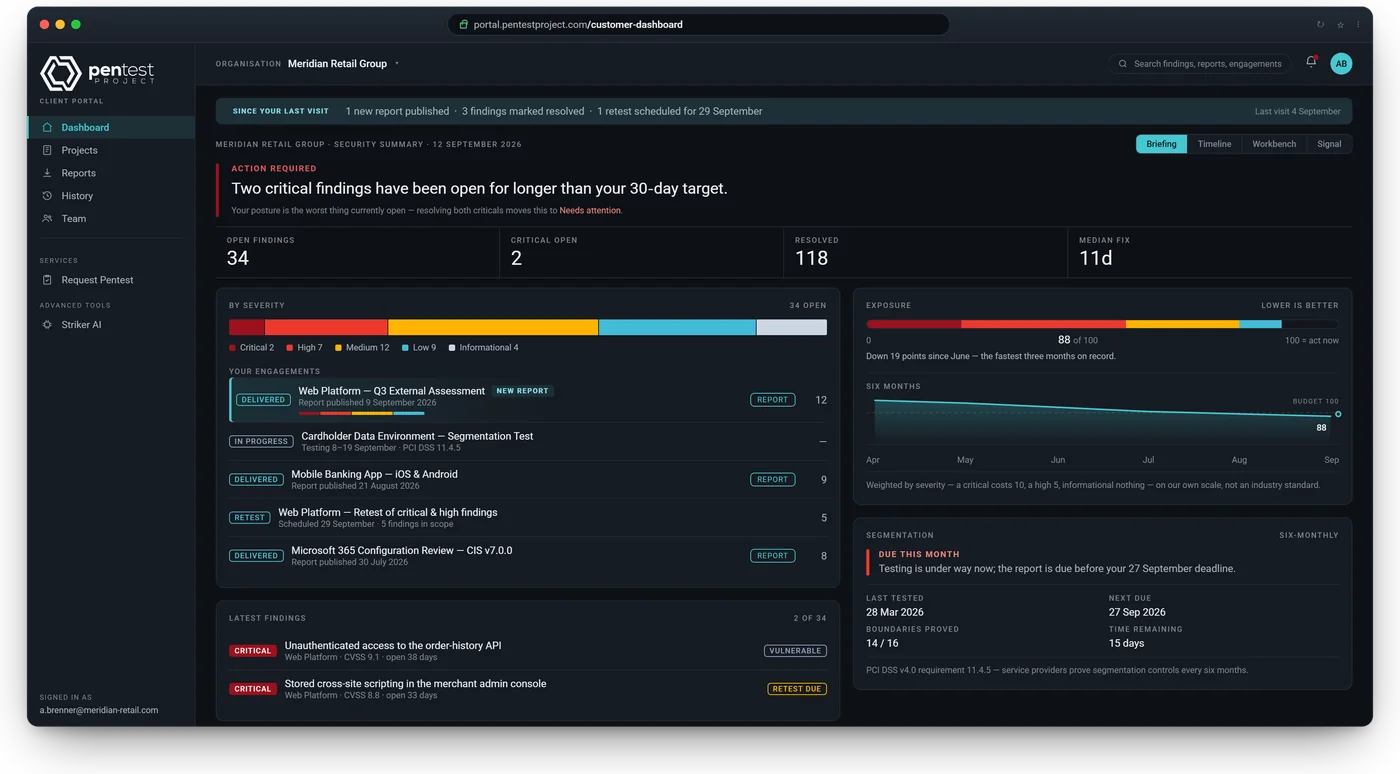
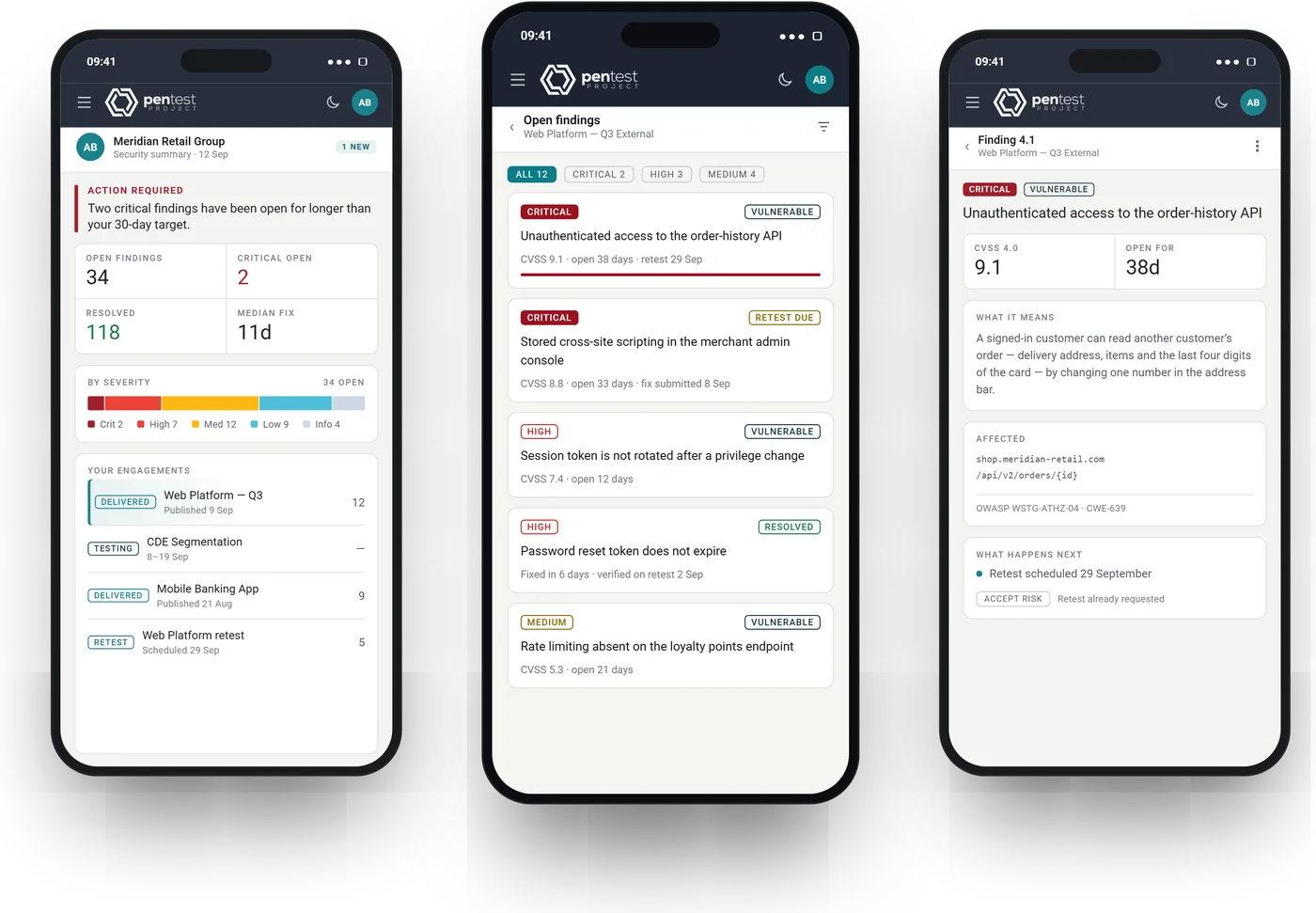
One sentence on where they stand, open findings by severity, a six-month exposure trend and the engagements in flight. Four views, from a briefing for the board to a workbench for their engineers.
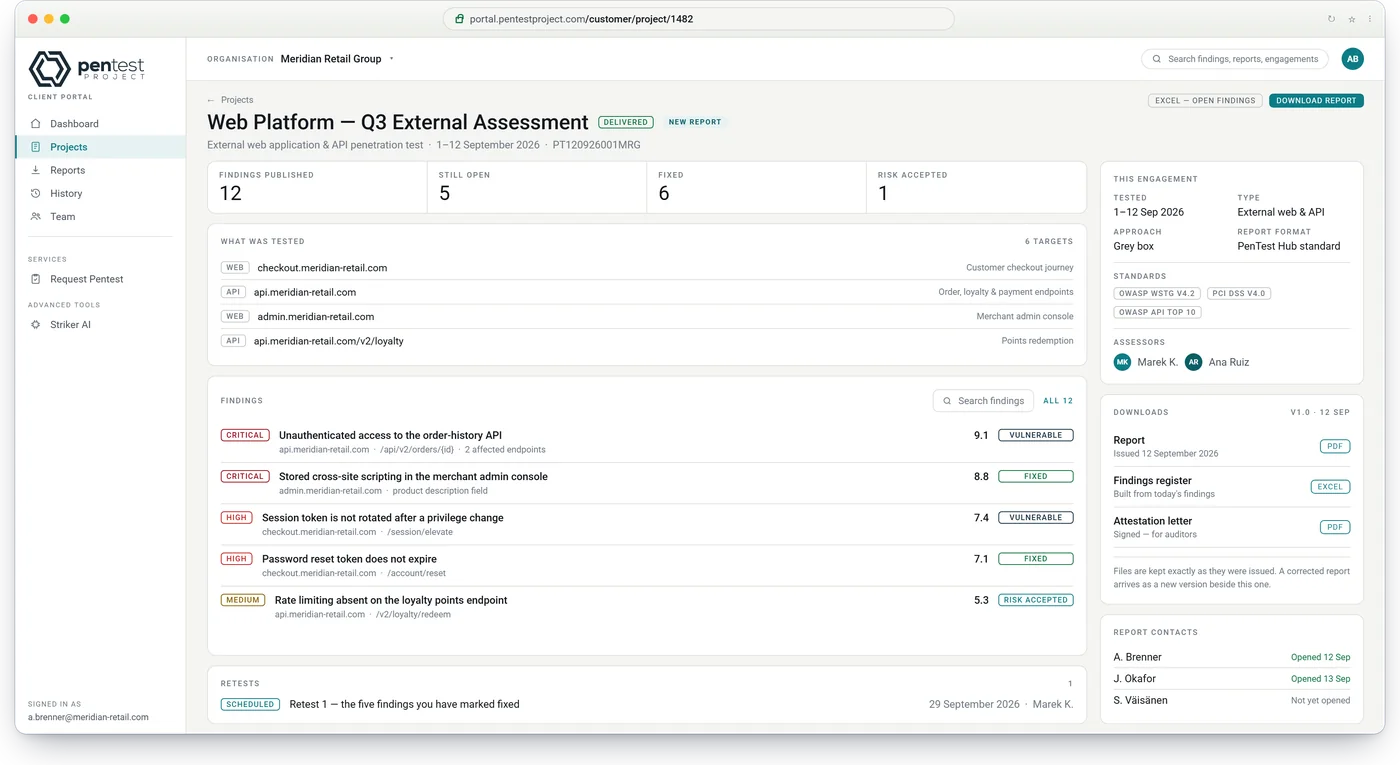
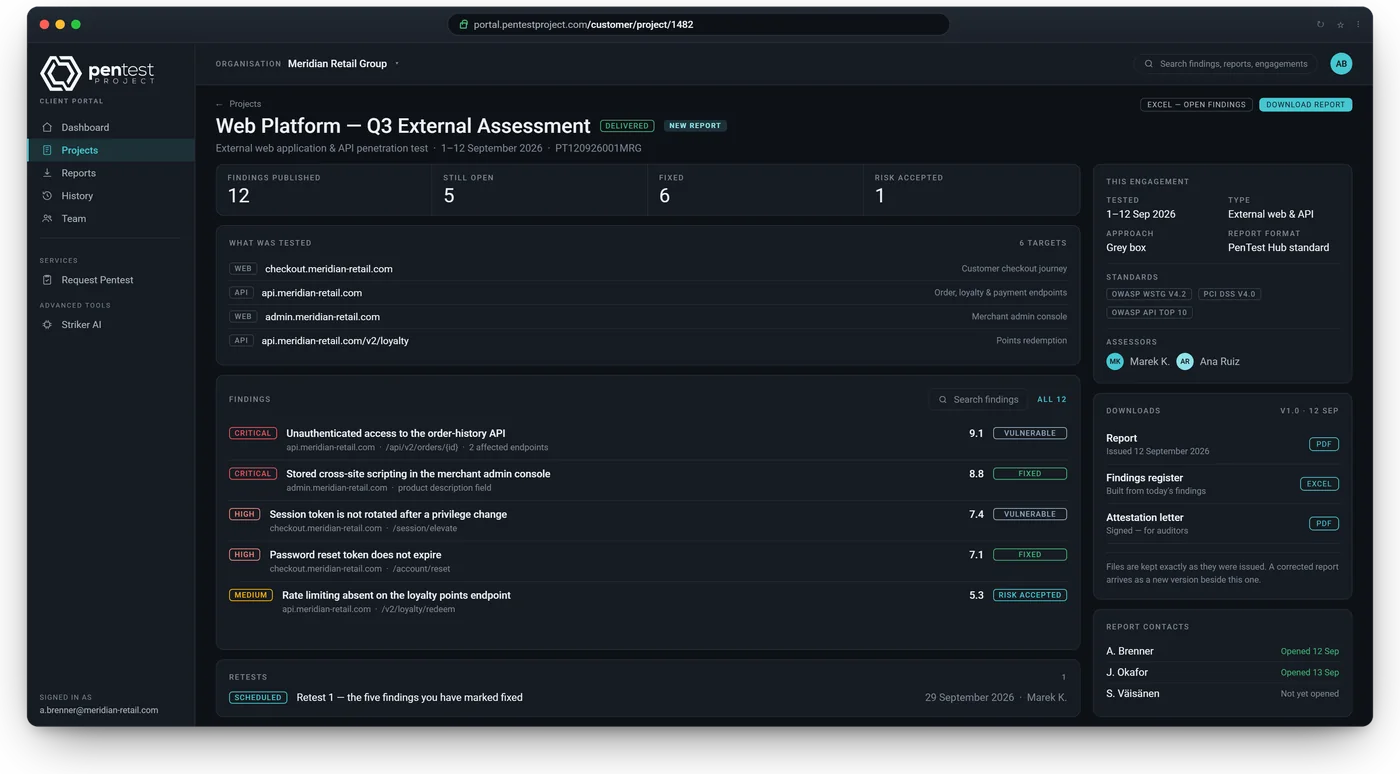
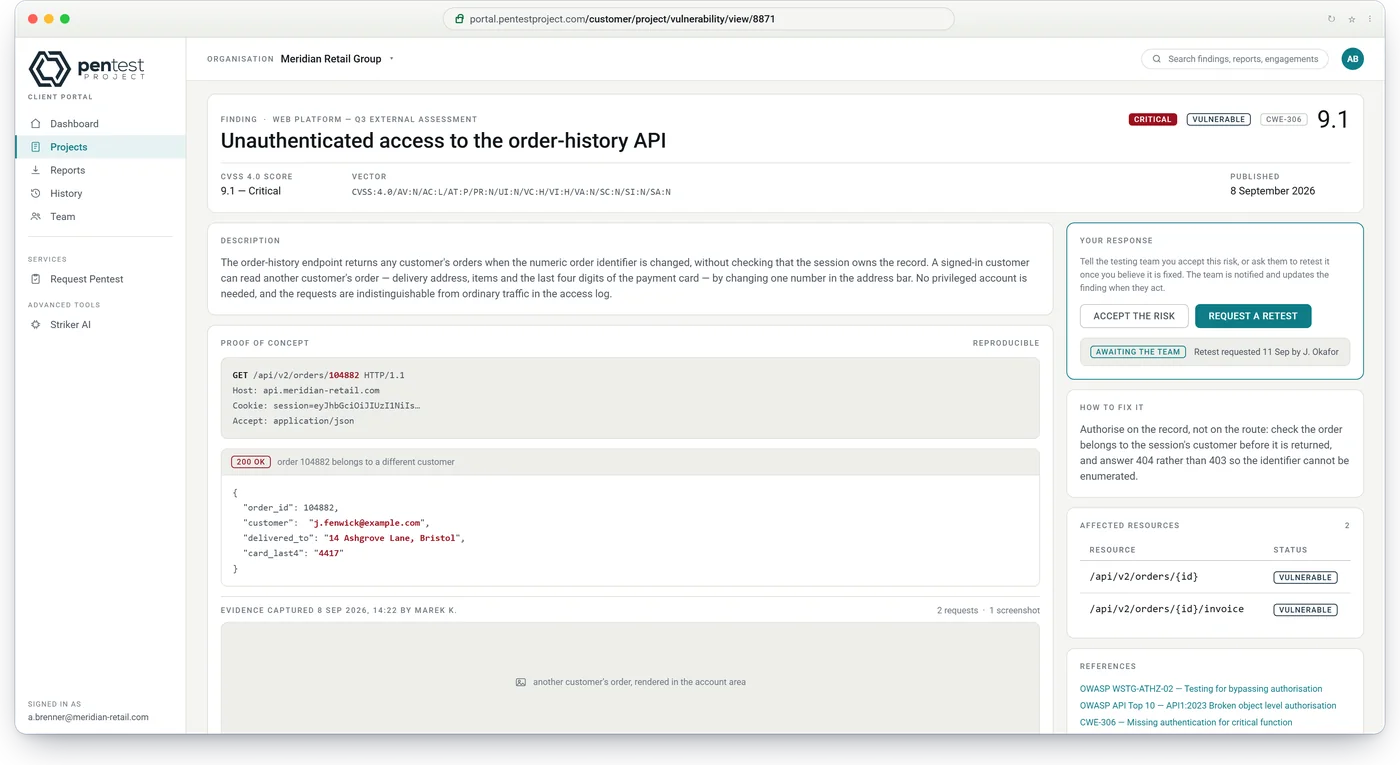
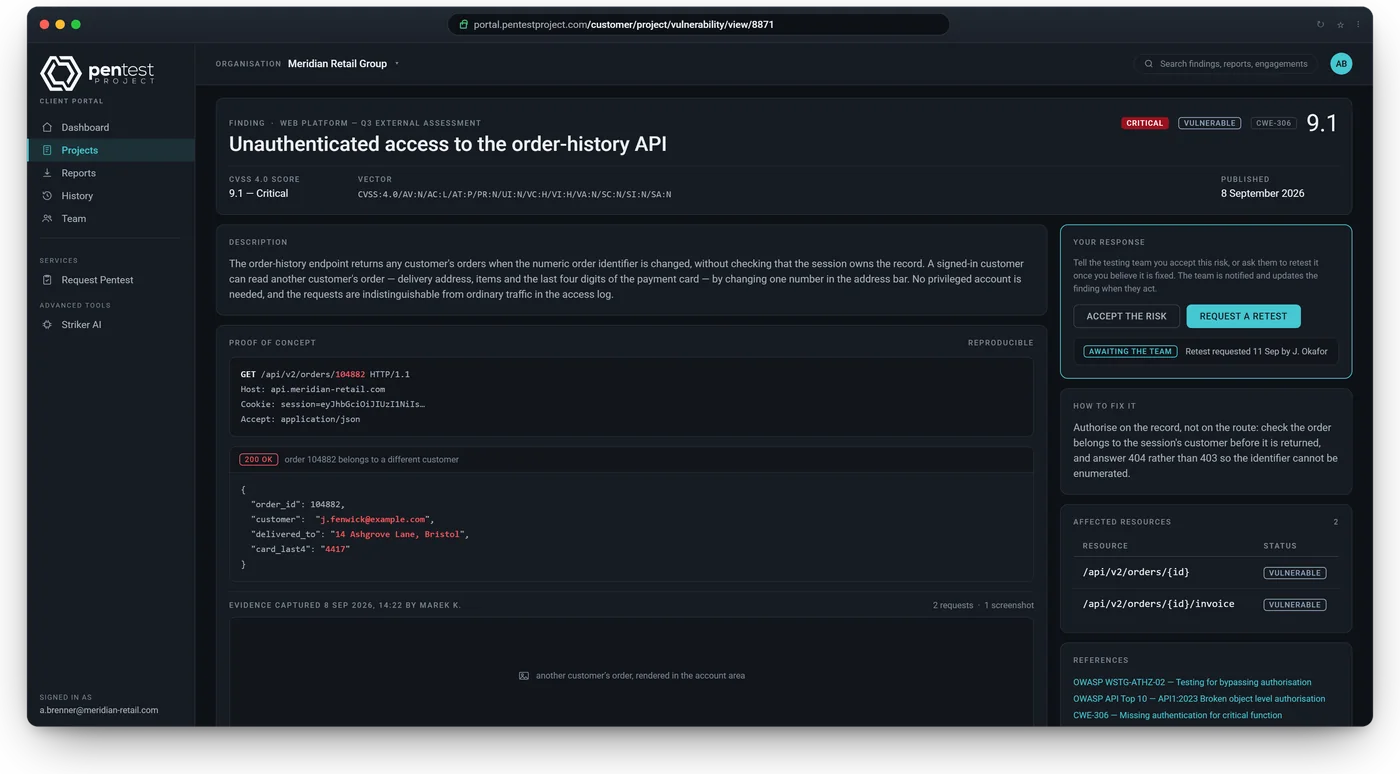
Evidence, proof of concept with highlighted code, affected resources and the fix. Two buttons on every finding: accept the risk or request a retest. Your team is notified of each one.
CVSS 4.0 score with the vector explained
Open findings exported to Excel, severity-coloured
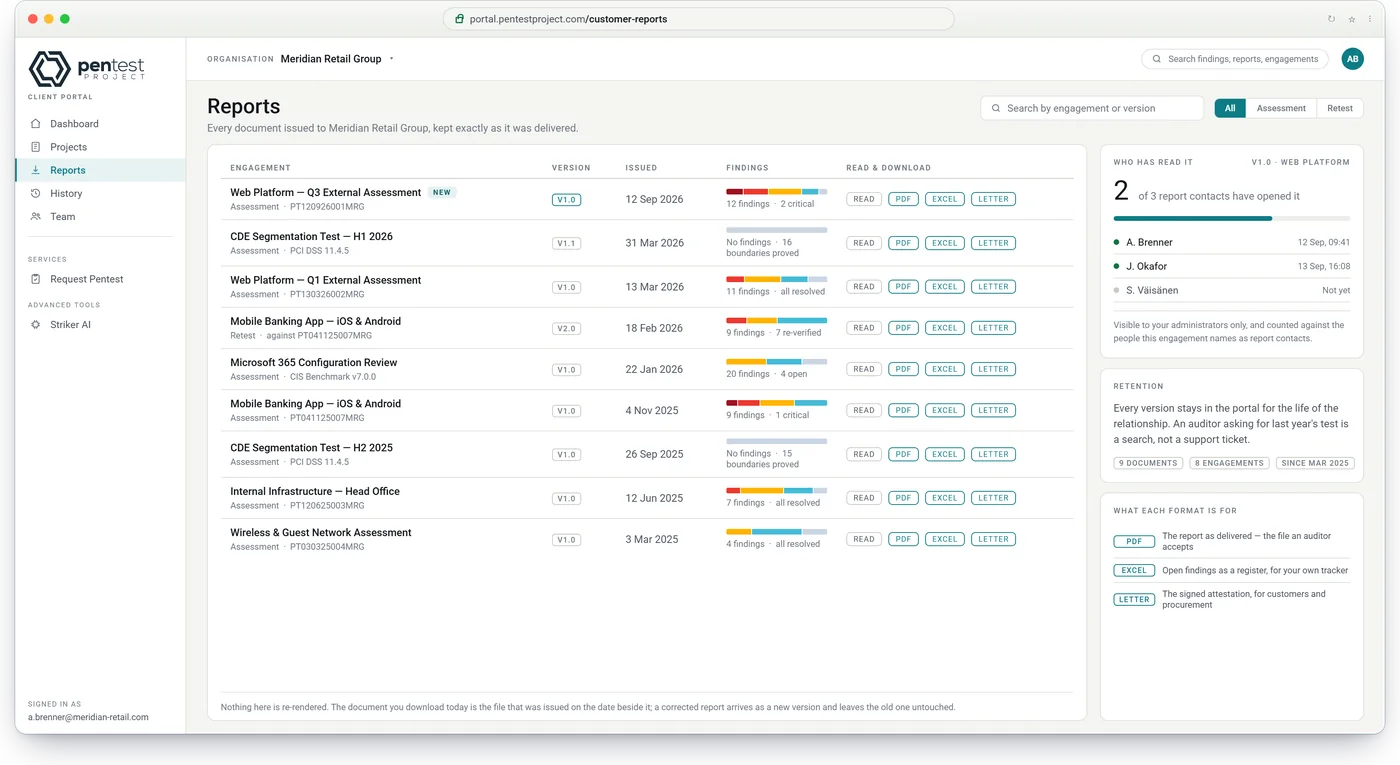
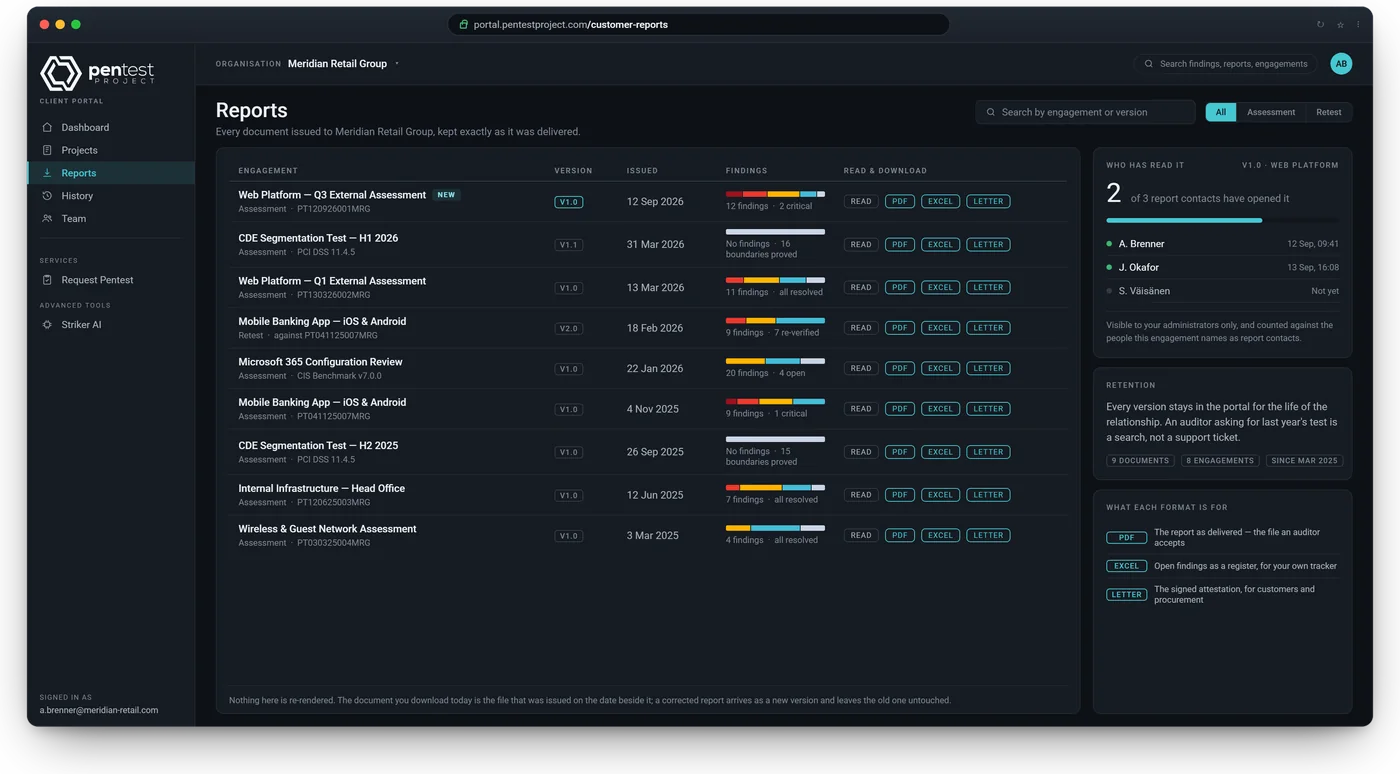
The reports register holds every issued version with its PDF and Excel files and the attestation letter. A client administrator sees who on their side has opened which report.
Attestation letter generated and signed on delivery
Retests, year-on-year series, and access from any phone
A retest lives inside its engagement with its own report and an automatically written conclusion. A system tested every year becomes a series, and the client sees what was added, dropped and fixed between runs.
Retest conclusion written from the findings' state
Fifteen things Slate does for your clients, your testers and your company. All are in every edition, except white-label (Professional and Enterprise); the activity log is available as an add-on.
For your clients
Free for every client and every one of their users
A client portal, free for every userFindings with evidence, reports read or downloaded, a verdict and a six-month exposure trend. No client user is ever billed.
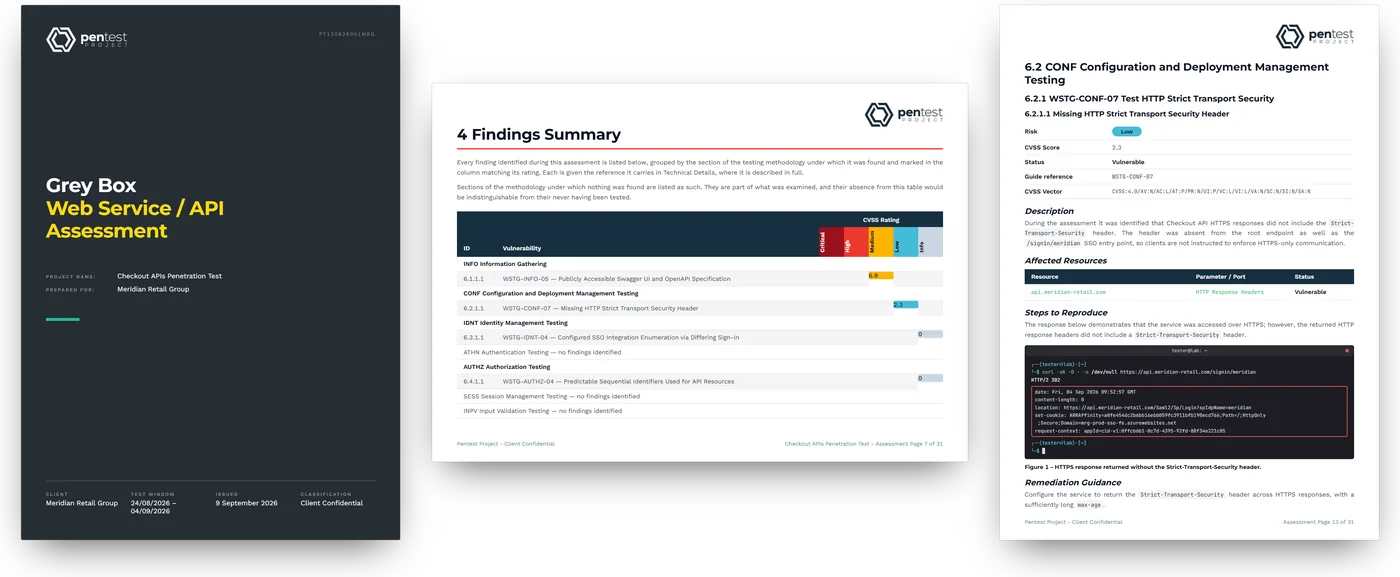
Reports they forward without editingPDF and Excel from one template. An issued report stays exactly as delivered.
An attestation letter, generatedAudit evidence your clients can hand to their SOC 2, ISO 27001, NIS2, HIPAA or PCI DSS auditor: a signed attestation letter, a frozen and versioned report, and a record of who received it.
Clients run their own teamA client administrator invites colleagues up to the limit you set, decides what each may see, can require two-step sign-in, and sees who opened which report.
Repeat tests that rememberA system tested every year is one series. The client sees what was added, dropped and fixed between runs.
For your testers
Guided from brief to delivery
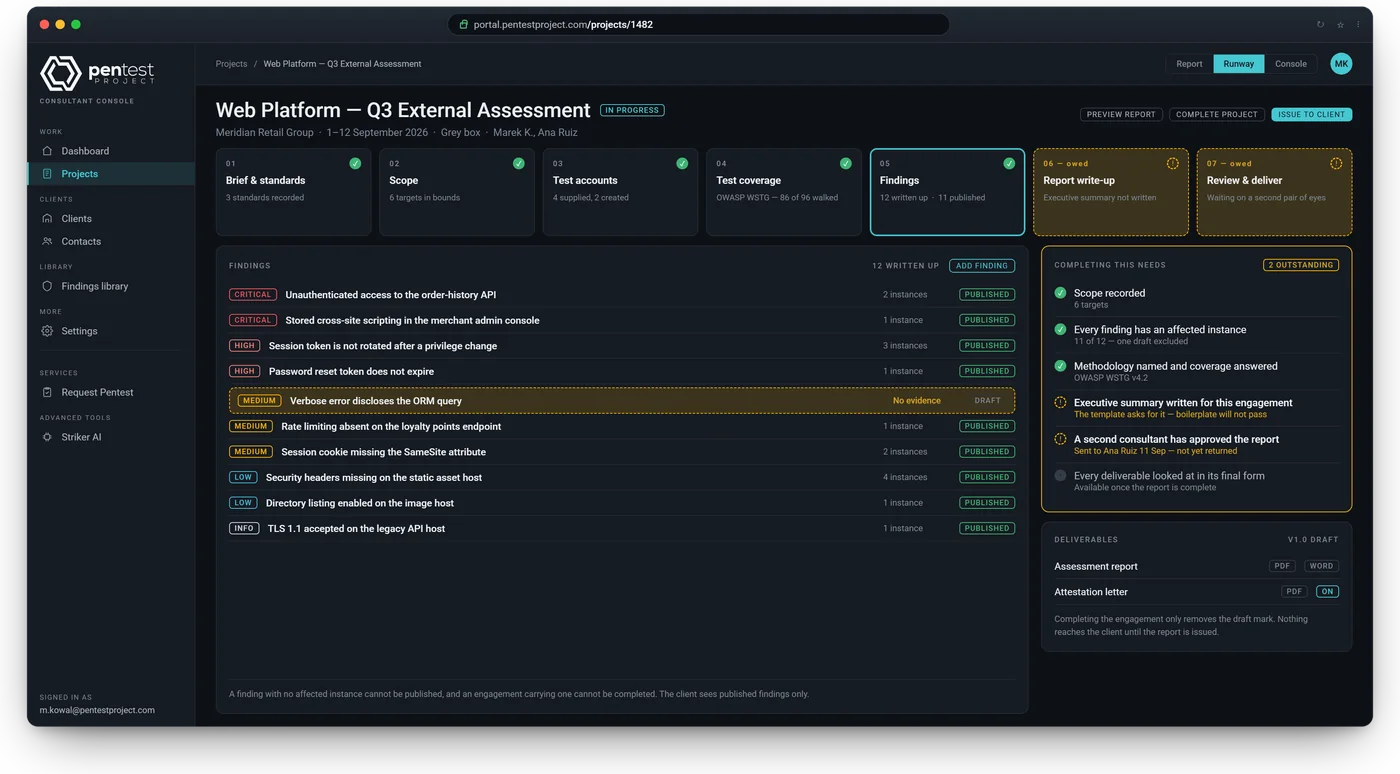
A guided engagement, not a blank formSeven stations from brief to delivery, and a gate that opens only when evidence, write-up, review and inspection are done.
Four-eyes review, enforcedThe reviewer sees exactly what changed since handover. Nobody's report goes out that only they have read.
Thirteen testing guides built inOWASP WSTG, MASVS, MASTG, AI and Cloud guides, MITRE ATT&CK Cloud and ATLAS, CIS AWS, Azure, GCP and Microsoft 365, CISA SCuBA, PCI DSS 11.4.
Specialist engagements, built inPCI network segmentation with nmap evidence and its own letter. Microsoft 365 against CIS and SCuBA. Cloud against CIS and ATT&CK.
A findings library with CVSS 4.0Write once, reuse everywhere. Full calculator or plain-English risk questions. CWE refreshed monthly. Nessus (CSV) import.
For your company
Your brand, your rules, your audit trail
Your brand on every surfaceYour logos, signatory, colours and fonts on every report and letter, in every edition. On Professional and Enterprise, the client portal, every email and your own domain carry your brand too, and you preview it as your clients will see it. Nine messages editable with a live preview.
Roles down to the projectFive roles, thirteen permissions, custom roles from a form. Anything outside a person's scope is invisible to them.
Four logs, twelve months of historyActivity, document access, email delivery and system faults. Who did what and when, filtered and exported. The activity log is available as an add-on.
Security you can show an auditorTwo-step sign-in, account lockout, a check of who is at the keyboard before sensitive changes, encrypted secrets, and an automated test suite that checks every endpoint for authorisation gaps.
Single sign-on and AI AssistYour team and your clients' users sign in with Microsoft Entra ID, Google Workspace or any OpenID Connect provider, in every edition. AI Assist drafts write-ups and summaries with your own AI key.
Slate in numbers
Counted from the product, not from a roadmap.
Each figure comes from the code that ships today. Nothing here is a target.
3report formats from one template: PDF, Word, Excel
13testing guides built in, from OWASP, MITRE, CIS and CISA
1,478test items, each marked automated, manual or out of scope
21security standards, recommended by engagement type
20engagement types, from web and API to PCI segmentation and Microsoft 365
15report designs, plus six covers and two attestation letters
∞client portal users. Only your own team is licensed
3,000+automated tests behind every release
Editions and price
All of Slate, in every edition.
Slate is licensed on its own, per user a month, excluding VAT. Essential, Professional and Enterprise differ in white-label, minimum users, where Slate runs and support, not in what it does. Your price stays fixed for the first two years. Flint's editions are on the Flint page, and both side by side in the pricing section.
Edition
Essential
Professional
Enterprise
Billed monthly, per user a month
€55
€119
€182
Billed yearly, per user a month
€53, or €636 a year
€114, or €1,368 a year
€173, or €2,076 a year
3-year term, billed yearly, per user a month
€50, or €600 a year
€108, or €1,296 a year
€164, or €1,968 a year
Minimum users
None
5
10
White-label
—
Your brand and domain on the client portal and every email
Your brand and domain on the client portal and every email
Engagement workflow with a readiness check at every step
✓
✓
✓
Four-eyes review: nothing reaches a client before it is approved
✓
✓
✓
Findings library with CVSS 4.0; Nessus (CSV) import
✓
✓
✓
13 testing guides, 1,478 test items, 21 security standards
✓
✓
✓
PCI network segmentation tests with nmap evidence and their own letter
✓
✓
✓
Microsoft 365 reviews against CIS and CISA SCuBA; cloud reviews against CIS and MITRE ATT&CK
✓
✓
✓
AI Assist with your own AI provider
✓
✓
✓
Slate: reports and clients
Reports in PDF, Word and Excel from one template
✓
✓
✓
15 report designs, six covers and two attestation letters to start from
✓
✓
✓
Bring your own design: your report, cover and attestation letter, with your fonts, logos, colours and wording, built in the design editor
✓
✓
✓
Issued reports frozen and versioned; drafts watermarked
✓
✓
✓
Attestation letter generated and signed on delivery
✓
✓
✓
Retests with the conclusion written from the findings, and year-on-year series
✓
✓
✓
Client portal, free and unlimited for your clients
✓
✓
✓
Clients accept a risk or request a retest per finding; read receipts
✓
✓
✓
White-label: your brand and domain on the client portal and every email, previewed as your clients will see it
—
✓
✓
Security and access
Single sign-on with Microsoft Entra ID, Google Workspace or any OpenID Connect provider, for your team and your clients
✓
✓
✓
Two-step sign-in with an authenticator app; you can require it, and so can a client for its own users
✓
✓
✓
Five roles, thirteen permissions and your own custom roles
✓
✓
✓
Document access, email delivery and fault logs, kept for twelve months
✓
✓
✓
Activity log: who did what and when, kept for twelve months
Available as an add-on
Available as an add-on
Available as an add-on
Where it runs
Cloud version: a dedicated instance in the region you choose
✓
✓
✓
Server version, also air-gapped: activation, licence checks and updates work offline
—
—
✓
Support and services
Support
Email, two business days
Priority, next business day
Named contact and phone
Onboarding
Self-service
Assisted, included
Assisted, included
Custom development, €650 a day, with twelve months' exclusivity on what you fund
✓
✓
✓
Development days included
—
—
Three a year
Quarterly product review
—
—
✓
Price fixed for the first two years
✓
✓
✓
Questions
Slate, in short answers.
Why is it called Slate?
Slate keeps the record, set in stone. Everything the engagement produces (findings, reports, retests, the client's risk decisions) is kept and versioned, and an issued report never changes.
Do we need Flint?
No. Slate is licensed on its own and complete without Flint: engagements, findings, review, reports, attestation letters, retests and the client portal. Connect Flint and an engagement opens in Slate with the client, scope, dates, testers, test accounts (never their passwords) and rules of engagement already filled in. Issuing the report marks the Flint project delivered, and "Request a retest" or "Book the next test" in the client portal starts the next engagement in Flint.
What do clients see?
Their own client portal: a sentence on where they stand, open findings by severity, a six-month exposure trend and the engagements in flight, in four views from a briefing for the board to a workbench for their engineers. They read findings with their evidence, accept a risk or request a retest per finding, and download reports as PDF and Excel. A client administrator invites colleagues up to the limit you set and decides what each may see.
How much does Slate cost?
From €55 per user a month on Essential, €119 on Professional and €182 on Enterprise, billed monthly, with lower prices billed yearly or on a 3-year term. Professional starts at 5 users and Enterprise at 10; Essential has no minimum. Users are your own team who sign in; client users are free and unlimited. Flint is €2.75 per user a month, licensed separately.
Which standards and guides?
Thirteen testing guides are built in, with 1,478 test items: OWASP WSTG, MASVS, MASTG and the OWASP AI and Cloud testing guides, MITRE ATT&CK Cloud and ATLAS, CIS AWS, Azure, GCP and Microsoft 365, CISA SCuBA and PCI DSS 11.4. Each engagement type recommends its standards, from 21 in all, and you can add your own checklists from CSV.
Can we use our own report design?
Yes. You build your own report, cover and attestation letter in the design editor: page size, fonts, logos, colours, headers, footers and 74 variables, without code or Word files. On Professional and Enterprise, assisted onboarding includes migrating your current templates.
What about PCI segmentation?
PCI DSS segmentation tests have their own engagement type. The cardholder data environment is the target and every other segment is tested from; results are recorded per boundary as isolated, as justified, path found or not tested, with nmap output as evidence. The report and its own letter are composed from that evidence, and the next test falls due every year for merchants or every six months for service providers, with a reminder email.
Which tools can we import from?
Nessus results import from CSV as findings, and nmap output is imported as evidence for segmentation tests. Scope, resources, coverage and checklists can be loaded from CSV. A self-service import of an existing findings library from Excel and CSV is coming soon; until then we migrate it as part of assisted onboarding on Professional and Enterprise, or as custom development on Essential.
How do retests work?
A retest lives inside the engagement that raised it and gets its own report, numbered 2.0, 3.0 and so on; its conclusion is written from the findings' state. Systems tested every year, every six months or every quarter form a series, and the client sees what was added, dropped and fixed between runs. Clients can request a retest per finding from the client portal.
How we start
A 30-minute call, then your instance within two weeks.
Choose an edition and we provision your instance, or book a demo first and we walk you through it with sample data.